網站部署有很多不同的服務可以選擇,比如說 Firebase Hosting, AWS Amplify Hosting, GitHub Pages 或是 Vercel. 現在類似的服務都頗方便,很多時候只要下幾個指令或是點一點就可以部署成功,更新 code 後自動部署的功能也都能做到,可以根據自己的需求選擇不同的平台。
因為專案使用了 Firebase 的其他功能,所以選擇了 firebase hosting. 這裡小小記錄部署過程。
步驟
- 在 firebase 創建專案。只要跟著引導一步一步完成就可以了。
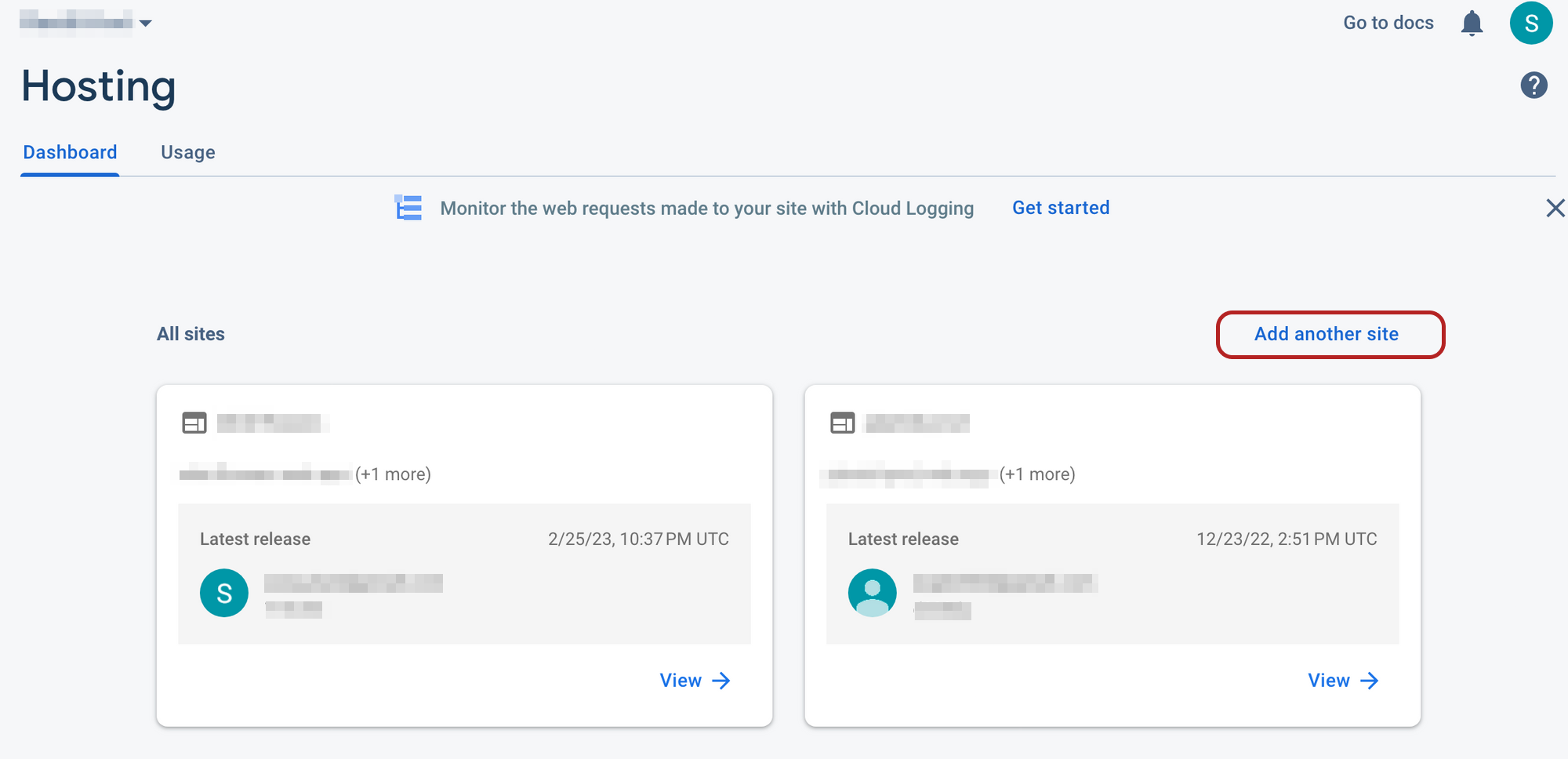
- 進入 firebase console 的 hosting,這裡會出現所有部署過的網站。每個專案可以創建不只一個網站,連結的 url 也是不一樣的。點擊
Add another site新增一個網站。
- 安裝 Firebase CLI. 如果專案只有在部署時會用到 firebase CLI,可以設置為 dev 依賴,而非全域安裝。
1 | yarn add firebase-tools --dev |
- 初始化專案,選擇需要的功能,這裡是 hosting. 專案在 init 完之後,會出現
firebase.json這個檔案。
1 | firebase init |
在根目錄找到
firebase.json,這裡可以更改設定。- target: 新開的網站的名字,預設會是 Firebase 專案的名字
- public: build 完要部署的檔案,react 通常會是
build這個檔案 - rewrites: 預設沒有這段。這裡可以設定 redirect,如果要讓不存在的頁面都 redirect 到某一頁的時候可以在這裡設定。這裡設定不存在的頁面會導到
index.html, 沒有設定的情況下會導到404.html.
1
2
3
4
5
6
7
8
9
10
11
12
13
{
"hosting": {
"target": "website-target", //設定 target
"public": "build", //build 完要部署的檔案,react 通常會是 `build`
"ignore": ["firebase.json", "**/.*", "**/node_modules/**"],
"rewrites": [
{
"source": "**",
"destination": "/index.html"
}
]
}
}build 頁面。build 完的靜態文件會出現根目錄的
build檔案裡。1
yarn build
指定 target。一般情況下不需要另外指定 target,Firebase CLI 會自動專案連接到預設的 Firebase 專案。範例的 Firebase 專案裡有兩個以上的網站,所以需要指定 target.
new-website是firebase.json裡設定的 target,website-name則是在步驟 2 新增網站的時候選擇的名字。1
firebase target:apply hosting website-target website-name
部署網站。部署結束之後就可以使用 Firebase 提供的URL 訪問網站。
1
firebase deploy --only hosting:website-target
程式碼更新後,只需要重複執行第 6 步和第 8 步的相應操作就可完成網站的重新部署。另外,這裡解決了兩個需求;一、如何在同一個 Firebase 專案中建立多個網站並設定不同的 URL。二、如何設定網站在頁面不存在時的 Redirect。預設情況下,Firebase Hosting 會顯示 404 頁面,但通過設定 firebase.json 中的 rewrites,可以將不存在的頁面重定向回首頁或其他指定頁面。
另外如果是部署純靜態的網頁不需要提供 Web credentials, Firebase Hosting 可以直接提供靜態網頁內容。
參考資料
Firebase: one project with two different websites on different URLs.